How CyberCore EDI for Acumatica works
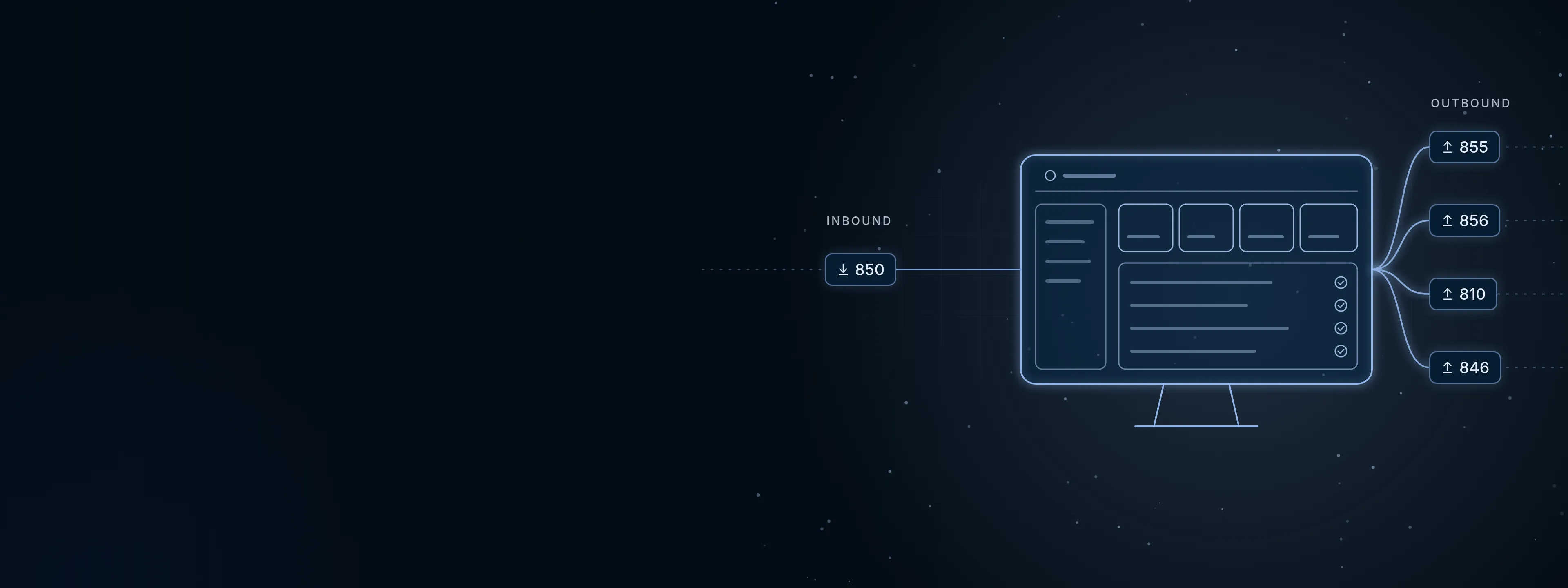
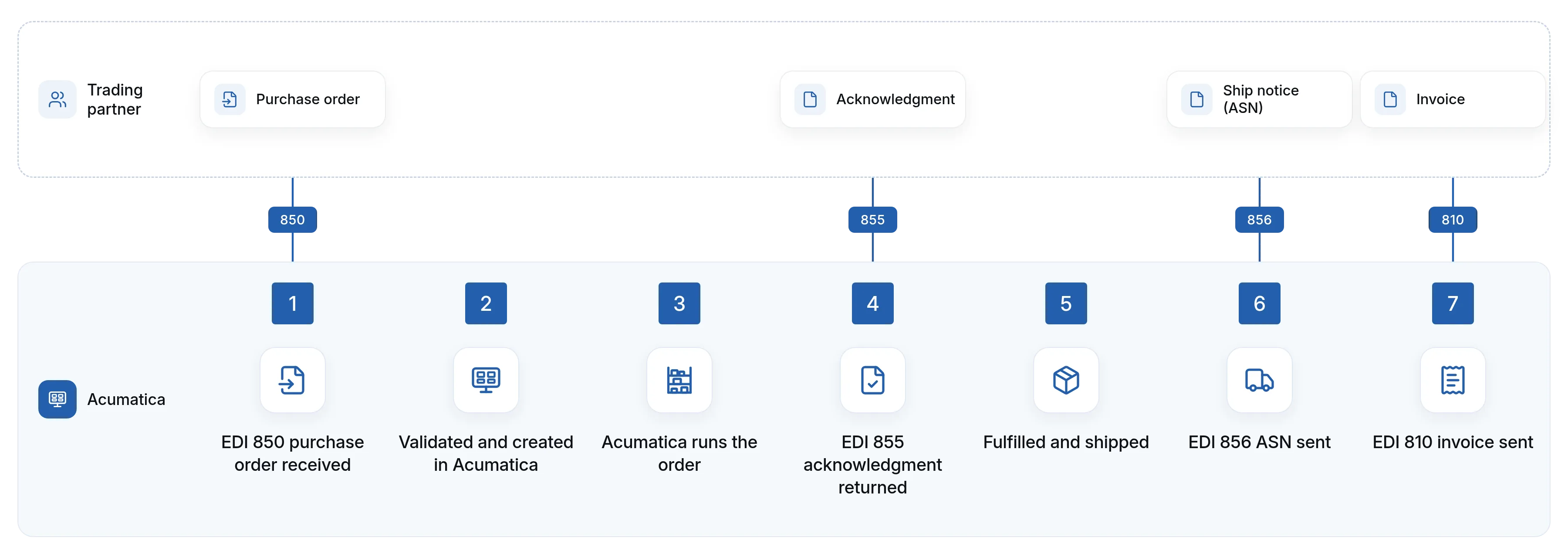
Here's how a big customer's electronic order (EDI) comes into Acumatica, and how the order confirmation, ship notice and invoice go back without retyping.
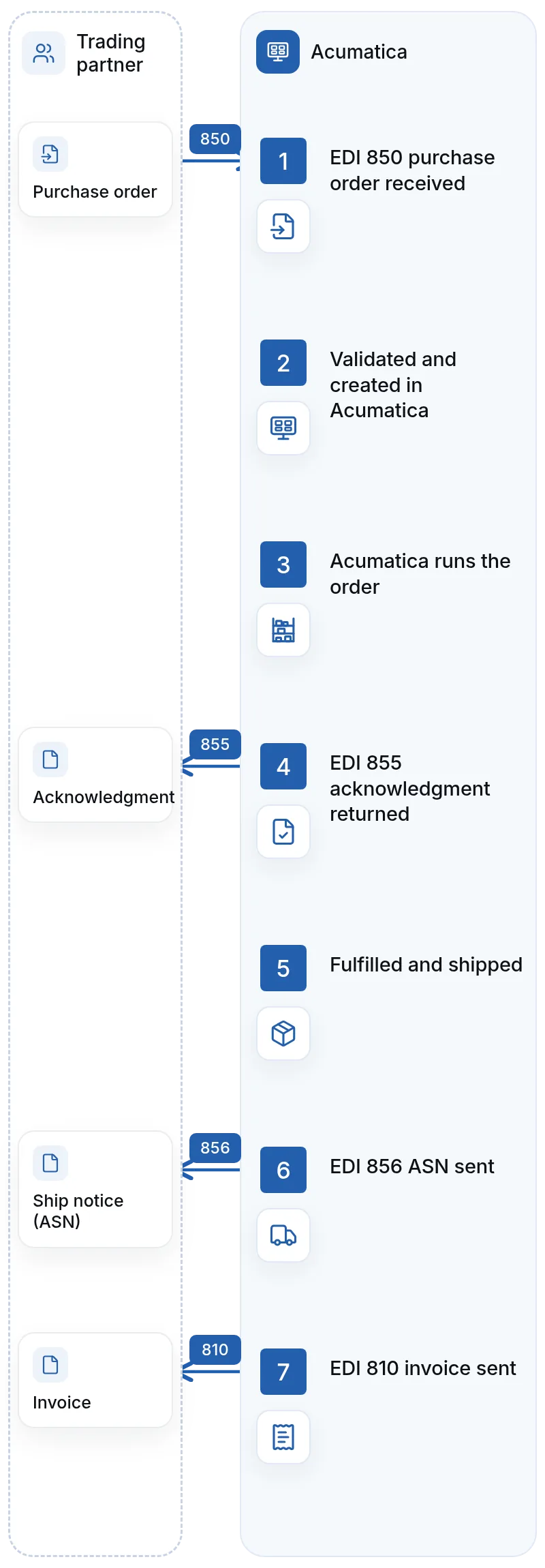
How a customer's order becomes your invoice, step by step.
Why integration is the point
With CyberCore EDI for Acumatica, Acumatica and your EDI documents exchange information automatically, based on business rules we define with you. Acumatica stays the system of record, and EDI becomes part of the workflow your team already uses, instead of your employees becoming the integration between two disconnected systems.
From your customer's order to your invoice, step by step
Here's what a typical order from a major retail customer looks like with CyberCore EDI for Acumatica.
EDI 850 purchase order received
Your customer sends an 850. The document is received and your customer's data is translated into the format the integration needs.
Validated and created in Acumatica
Customer, ship-to location, item numbers, quantities, pricing, requested dates and other required data are validated before the sales order is created. No one rekeys it.
Acumatica runs the order
The order moves through your normal workflow for inventory allocation, approvals, warehouse processing and shipping.
EDI 855 acknowledgment returned
Your customer receives confirmation that the order was accepted, changed or rejected, with any changes or exceptions.
Fulfilled and shipped
Your warehouse picks, packs and ships the order in Acumatica. Once shipment information is available, it's used to build the ship notice.
EDI 856 ASN sent
Shipment, carton, tracking and other required fulfillment details go to your customer electronically.
EDI 810 invoice sent
After billing in Acumatica, the invoice is transformed into an 810 and transmitted back to your customer.
Sharing your stock levels with customers, and more
Some trading partners also want to know what you have available. An EDI 846 inventory inquiry/advice communicates inventory availability from Acumatica to the trading partner.
The 850, 855, 856, 810 and 846 are the core of most order flows, but CyberCore EDI for Acumatica supports all EDI document types. Depending on the partner, other documents can support purchase-order changes, warehouse shipping, payments, routing and additional supply-chain processes. We confirm which documents each partner requires during setup.
...and every other EDI document your trading partners require. If they need it, we support it.
Configured to each trading partner
Every trading partner can have different document requirements, validation rules, data mappings and business processes, even when they use the same EDI transaction types. That's where most of the real work in EDI happens. CyberCore EDI for Acumatica is configured partner by partner.

Customer and ship-to mapping
Each partner's customer and location codes are mapped to the right Acumatica customer and ship-to location.

Item cross-references
Trading-partner item numbers are matched to your Acumatica inventory items, so the right product is ordered, shipped and invoiced.

Units of measure and packaging
Partner units of measure and packaging requirements are translated to the way you stock and sell the item.

Pricing and discount rules
Order pricing and discounts are checked against your rules.

Warehouse and fulfillment requirements
Partner-specific fulfillment requirements are built into how orders flow to your warehouse.

Carrier, routing and shipping
Carrier, routing and shipping requirements are reflected in the order and the ASN.

Required fields and validation
Each partner's required fields and validation rules are checked before documents are sent.

Changes, cancellations and backorders
We define how order changes, cancellations, backorders and other exceptions should be handled for each partner.
Getting the ship notice right
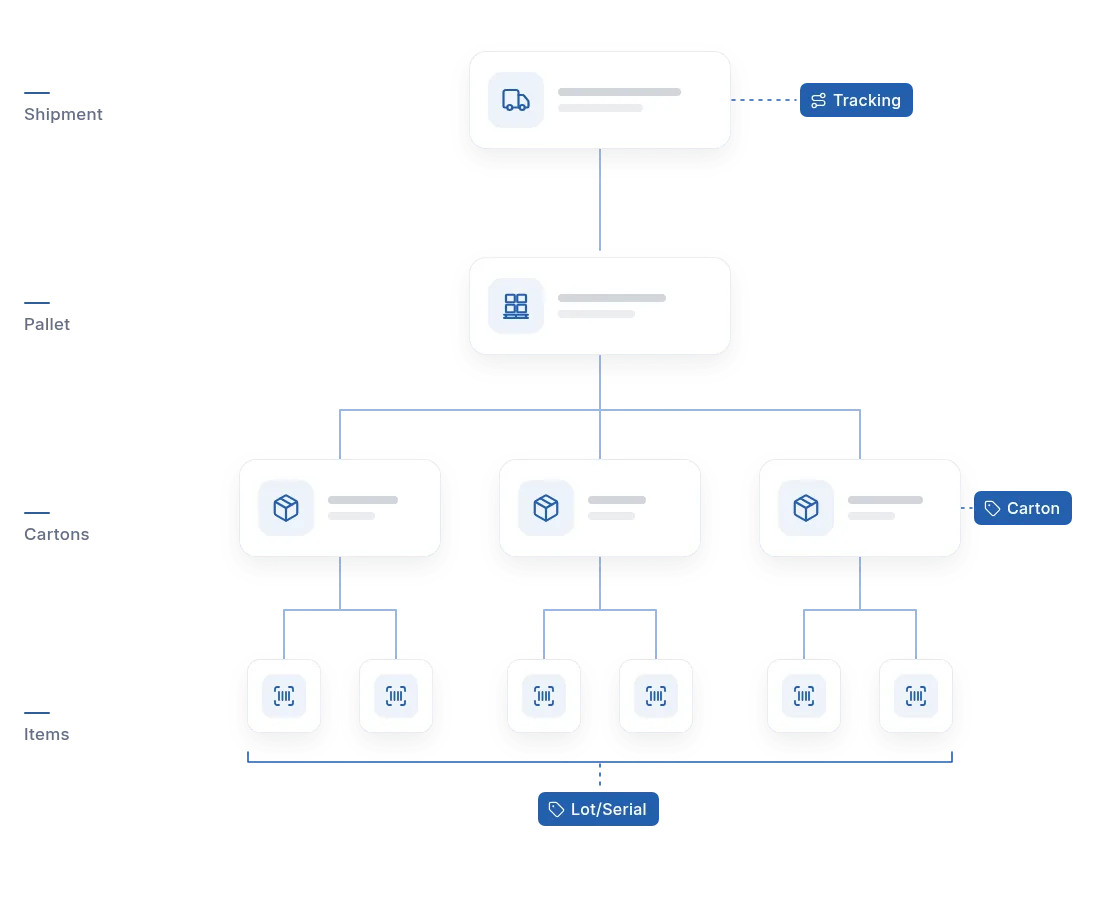
The 856 ASN is often the most detailed document a partner asks for. Depending on the partner, it can need items, quantities, cartons, packaging details, tracking information and other fulfillment data. Because the ASN is generated from shipment information in Acumatica, what your warehouse records is what your customer receives.
- Carton and packaging details: carton contents and packaging information as the partner requires them
- Tracking information: carrier and tracking details from the shipment
- Lot or serial numbers: lot or serial information included where your products and your partner's requirements call for it
An honest note: the accuracy of the ASN depends on the accuracy of the shipment data behind it. If your warehouse processes need tightening first, we'll tell you, because we work on Acumatica warehouse and fulfillment workflows as well as EDI.
Automate the routine, flag the exceptions
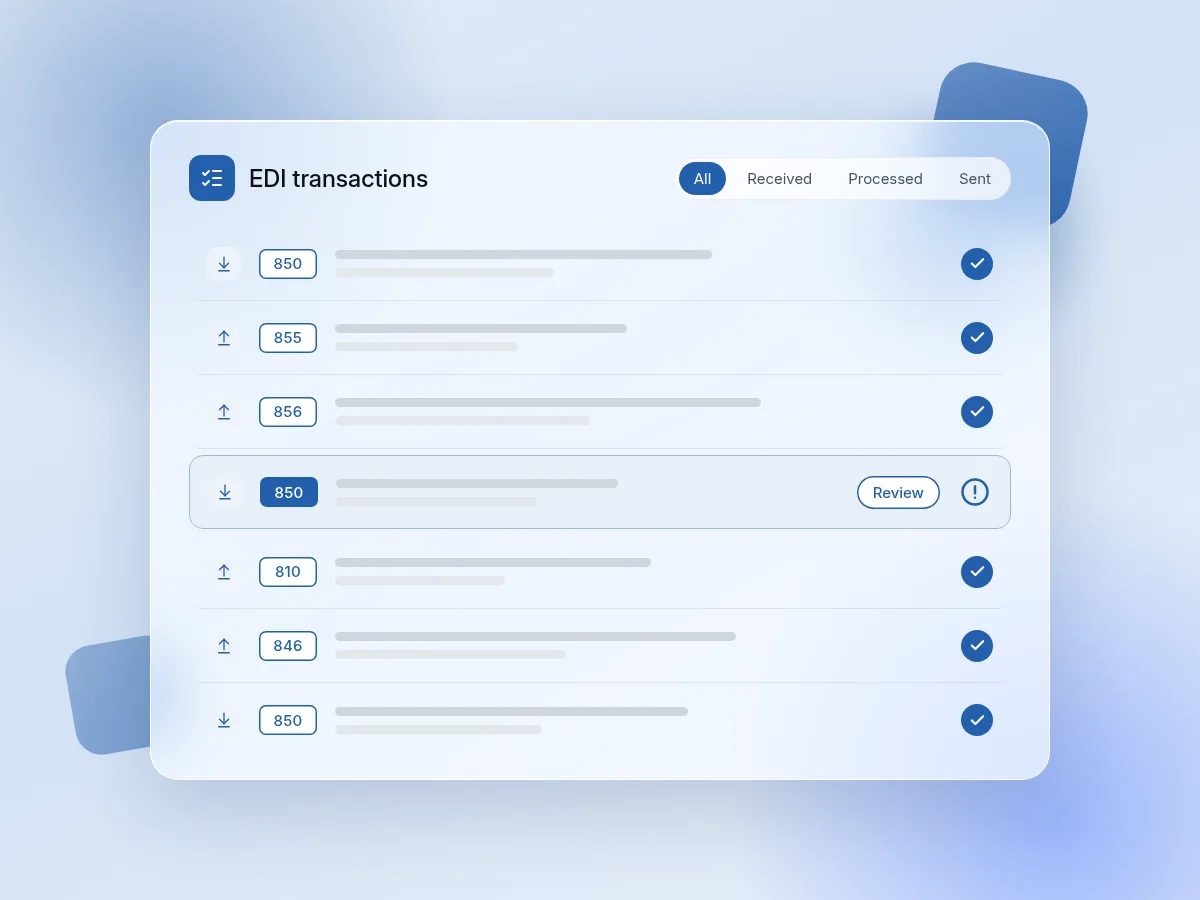
Integrated EDI doesn't mean every transaction should run without human oversight. Unusual orders, pricing discrepancies, inventory issues and failed validations may still need someone to review and resolve them.
CyberCore EDI for Acumatica automates the routine transactions and brings exceptions to the right person's attention, instead of making employees process every transaction by hand.
- Error handling: problems are caught rather than silently passed to Acumatica or your customer
- Notifications: the right person hears about an exception
- Transaction monitoring: visibility into what was received, processed and sent
Tested with your trading partners
Testing and certification with your trading partners is part of the setup. We work through it with you, so mappings, validations and document formats meet each partner's requirements before you rely on them for live orders.

Built to keep working as you grow
The initial integration is only part of the lifecycle. Customers introduce new requirements, retailers update their specifications, new trading partners are added, and your own processes change over time.
Our team provides ongoing support so CyberCore EDI for Acumatica stays correct as those changes happen. The goal is an integration that works on day one and stays manageable as your business grows. And because there are no per-document charges once it's set up, growth in order volume doesn't grow your EDI bill.
See costs and options for your current EDI provider →
Technical questions
Does Acumatica stay the system of record?
Yes. EDI orders become Acumatica sales orders and move through your normal allocation, fulfillment, shipping and invoicing workflows. Outbound documents are generated from what happens in Acumatica.
What gets validated before a sales order is created?
Customer information, ship-to location, item numbers, quantities, pricing, requested dates and other data the trading partner or your business requires.
How are trading-partner item numbers handled?
Through cross-references that match each partner's item numbers, units of measure and packaging to your Acumatica items.
What happens when an order doesn't pass validation?
It's treated as an exception and brought to the right person's attention to review and resolve, rather than creating an incorrect order.
Can it work with my current EDI provider?
Yes. CyberCore EDI for Acumatica can replace your current EDI provider or work alongside it while we handle the Acumatica integration, mappings, workflows, testing and ongoing support.
My trading partner has requirements not listed here. Can you support them?
CyberCore EDI for Acumatica is configured to each trading partner's requirements. Send us your partner's specifications or bring them to a strategy call, and we'll review them with you.
Map out your EDI with our team
Bring your trading partners, document types and current setup to a free 30-minute strategy call. We'll walk through how CyberCore EDI for Acumatica would work in your Acumatica environment, all without any commitments.
Back to CyberCore EDI for Acumatica →Or email info@cloudcybercore.com.
Want the background first? Read our guide, EDI and Acumatica: What It Is, Who Needs It, and How Integrated EDI Works


.webp)