How warehouse robotics works with Acumatica
Robots do two jobs: they put new stock away in the best spot, and they bring picked items to your packing area. Here's each step, and how Acumatica keeps track.
Here's each step of robot put-away and picking, and how Acumatica records bin transfers and confirms shipments.

From receiving to confirmed shipment
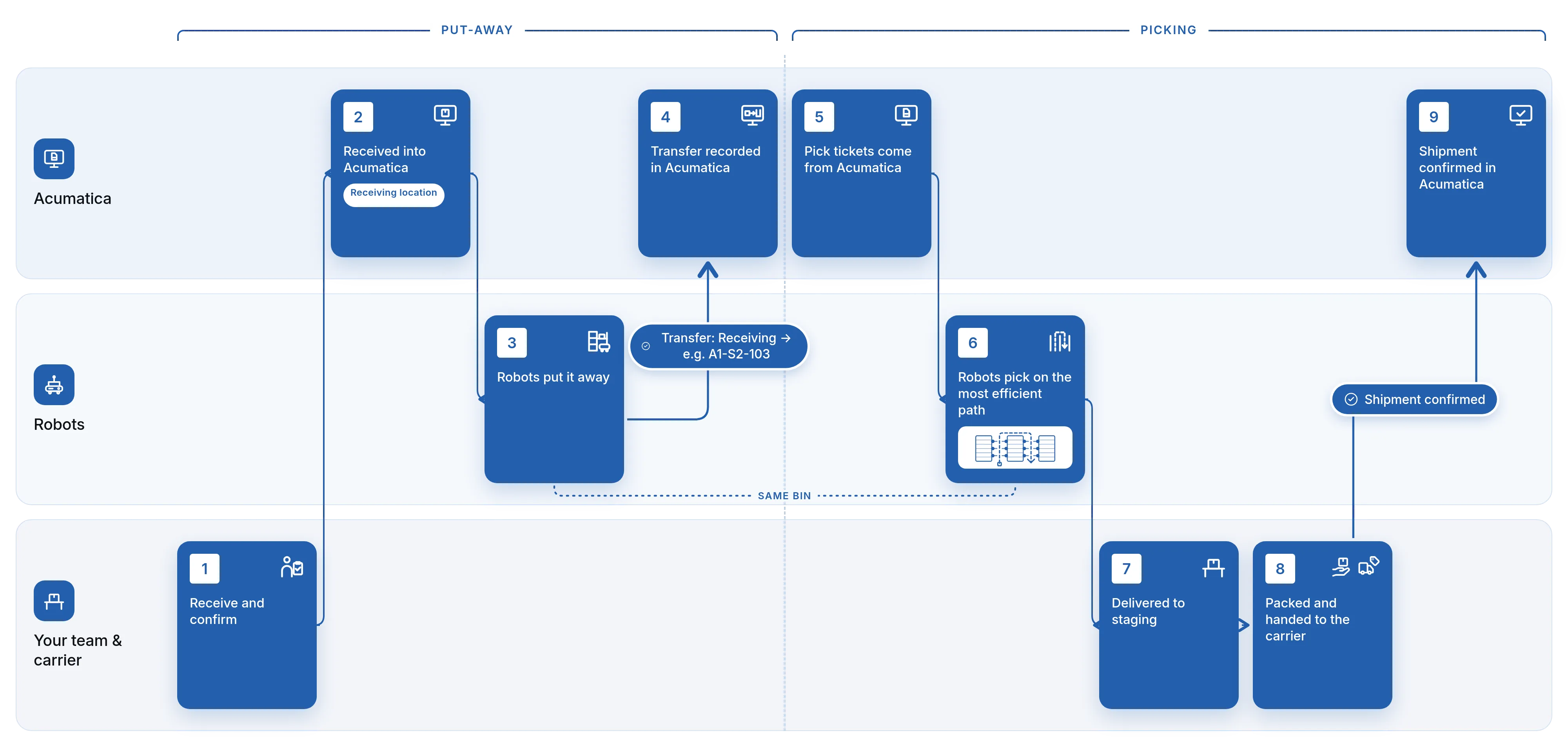
Put-away and picking are two workflows, but they work together: where product is put away shapes how efficiently it can be picked.
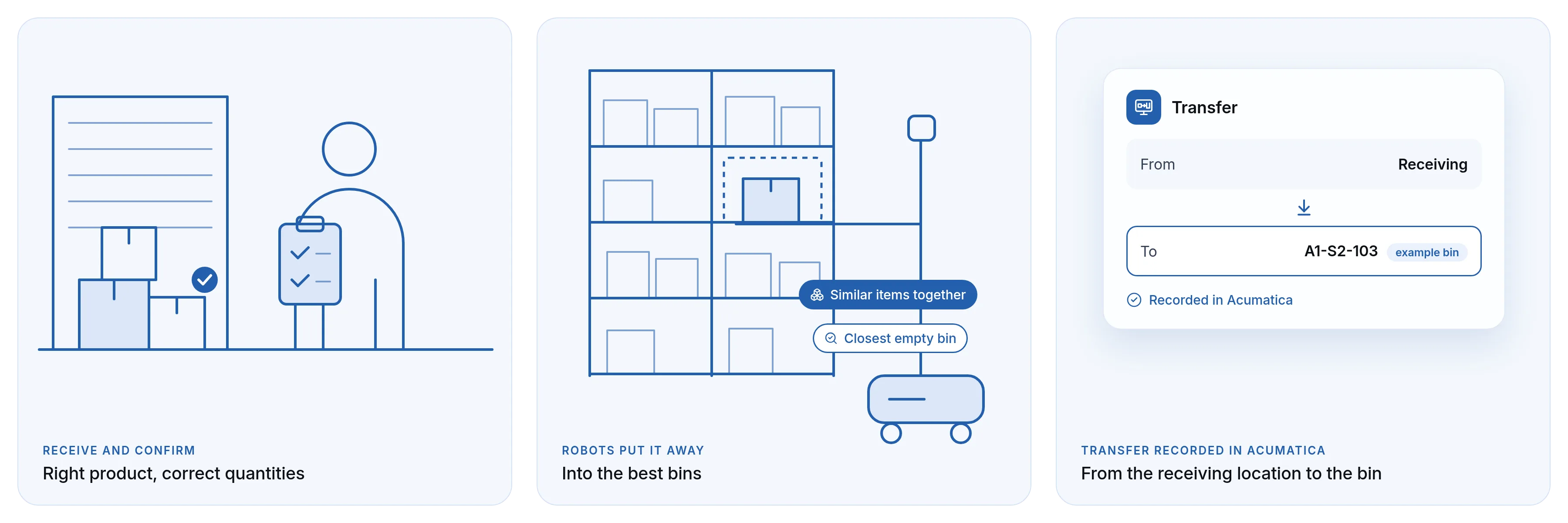
Receive and confirm
Your team receives the goods and confirms they got the right product in the correct quantities.
Received into Acumatica
The stock is received into a receiving location in Acumatica.
Robots put it away
The system triggers the robots to come pick it up and put it away into the best bins.
Transfer recorded in Acumatica
The put-away transfers the stock in Acumatica from the receiving location to the bin it ended up in, such as A1-S2-103.
Pick tickets come from Acumatica
When orders are ready, robots take the pick tickets from Acumatica.
Robots pick on the most efficient path
The efficient path logic comes from Acumatica WMS: up one aisle, picking from both sides, and back down the other aisle. The robotics system decides which robot takes which path and can split one path between two robots, improving on that logic based on how many robots are available at that time.
Delivered to staging
The robots bring the product to the staging area.
Packed and handed to the carrier
Your team packs the order, and the carrier issues the tracking number.
Shipment confirmed in Acumatica
When the tracking number is issued, the shipment is confirmed in Acumatica. Short ships write back at that point, so only what shipped is confirmed.

Put away for the pick that comes next
Receive and confirm at the dock
Your team receives the goods and confirms they got the right product in the correct quantities. The stock is then received into a receiving location in Acumatica.
Robots put it away into the best bins
The system then triggers the robots to come pick up the stock and put it away into the best bins. Bins are chosen by things like keeping similar items stored together and using the closest empty bins. Put-away isn't just finding space; it sets up every pick that follows.
The transfer is recorded in Acumatica
In Acumatica, the put-away transfers the stock from the receiving location to the bin it ended up in, for example a location like A1-S2-103. Your ERP shows where the stock actually went.
As general context, Acumatica's native warehouse management supports barcode-driven receiving and putaway. For example, Acumatica's Scan and Receive workflow lets warehouse staff scan warehouse, item, quantity and storage-location information while the inventory receipt is created.
Picking starts in Acumatica
Every pick begins as a pick ticket in Acumatica. That keeps your ERP at the center of the process: the robots work from the same orders your sales, customer service and warehouse teams see.
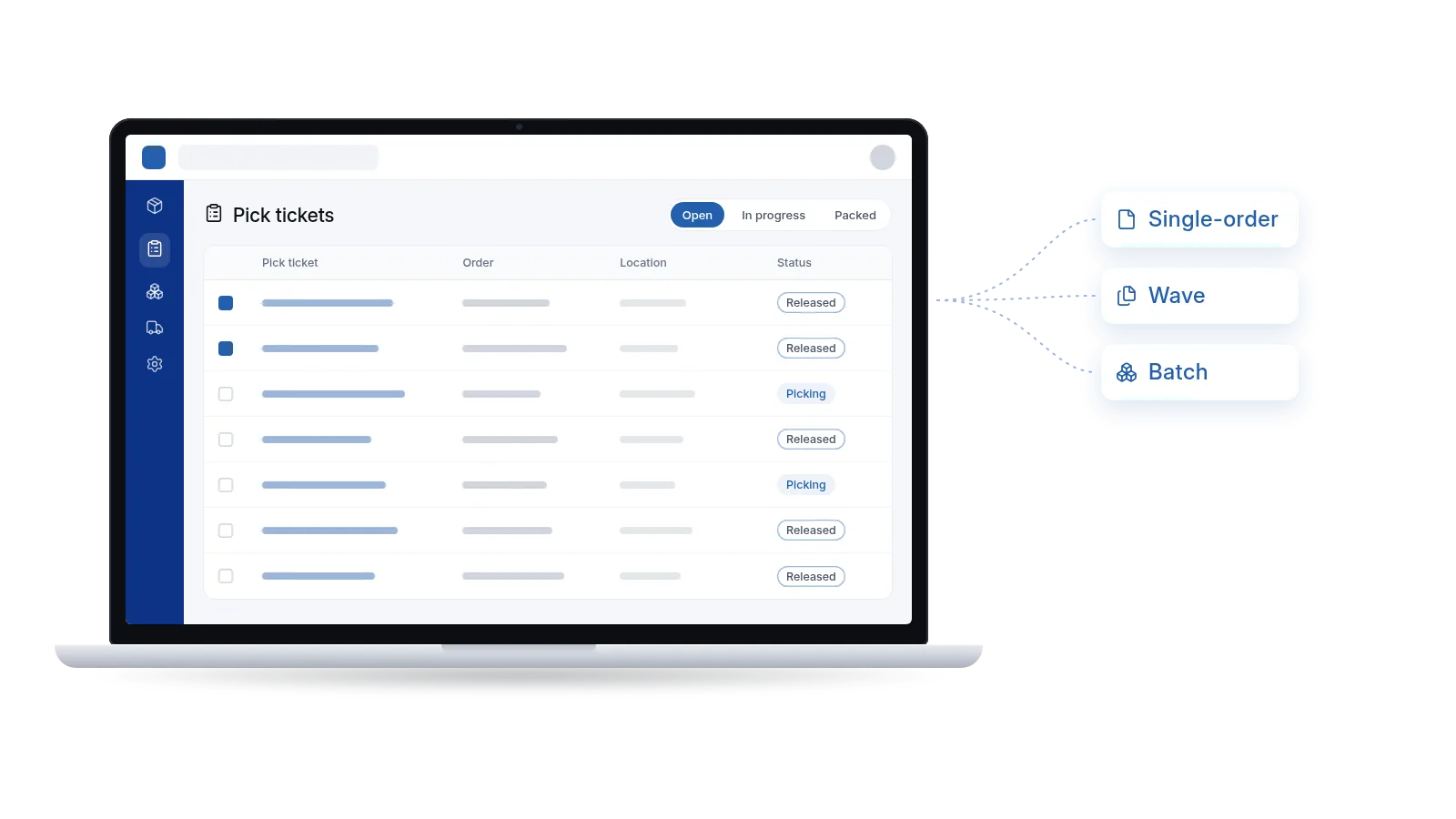
Acumatica's native warehouse management supports several ways to organize picking, including single-order, wave and batch picking. Which method fits depends on your order profile and warehouse layout, and it's one of the first things we review with you.
How an order gets to the robots
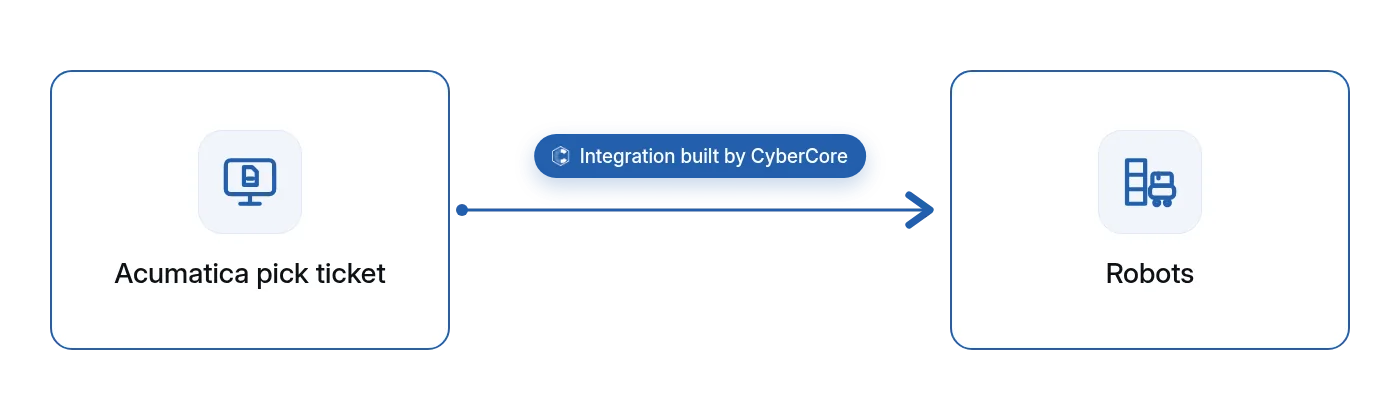
Once a pick ticket is ready in Acumatica, the robots take it. This handoff is the integration our team built, and it's what lets Acumatica drive the robots' work instead of someone re-creating each pick in a separate system.
The most efficient path through the aisles
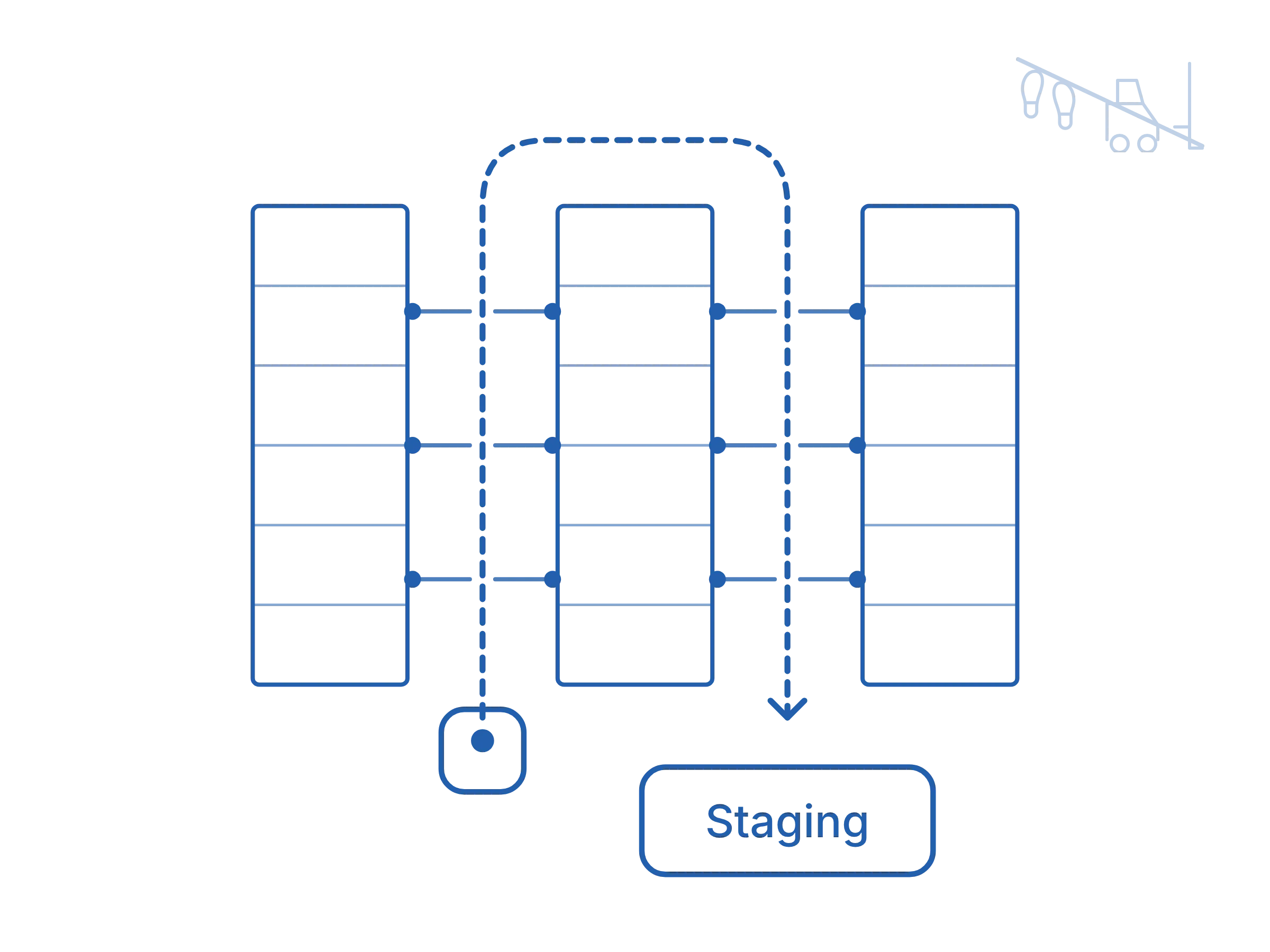
Picking for shipping follows the most efficient path, and that path logic comes from Acumatica WMS: up one aisle, picking from both sides, and back down the other aisle. The robotics system uses that logic and decides which robot takes which path. It can split one path between two robots, improving on Acumatica's logic based on how many robots are available at that time. Because put-away placed stock in the best bins, the two workflows support each other.
This replaces walking to pick yourself, or driving a forklift there in bigger warehouses.
Product arrives where your team packs
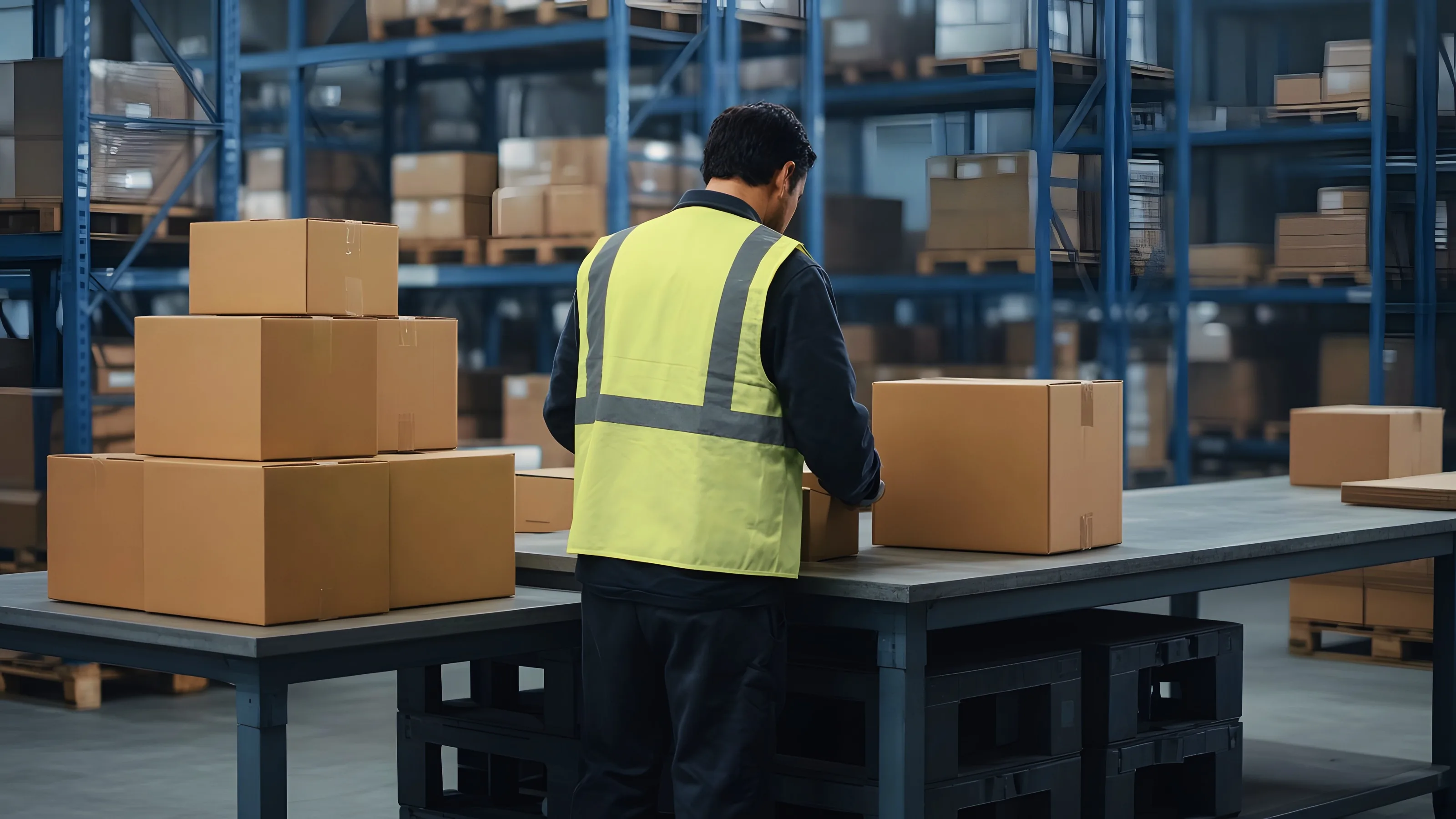
The robots bring the picked product to the staging area for packing. Your packing team works from staging rather than going out to collect each item.
Packed and ready to ship
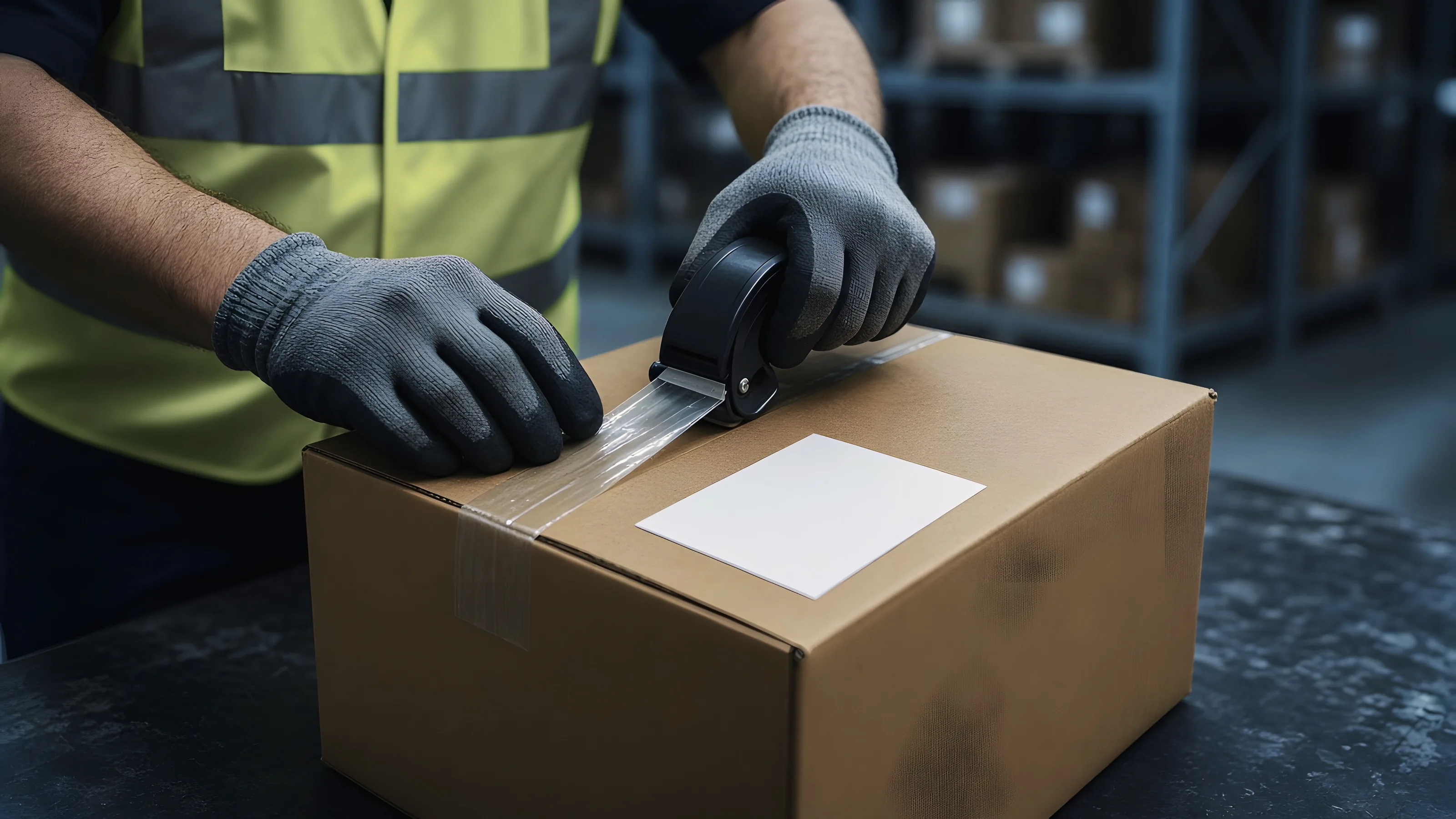
Your team packs the order at staging, and it goes to your carrier. When the carrier issues the tracking number, the order is ready to be confirmed in Acumatica.
As general context, Acumatica's warehouse management supports barcode-driven packing and shipping workflows, alongside receiving, putaway, inventory movements and inventory counts.
Only what actually shipped gets confirmed
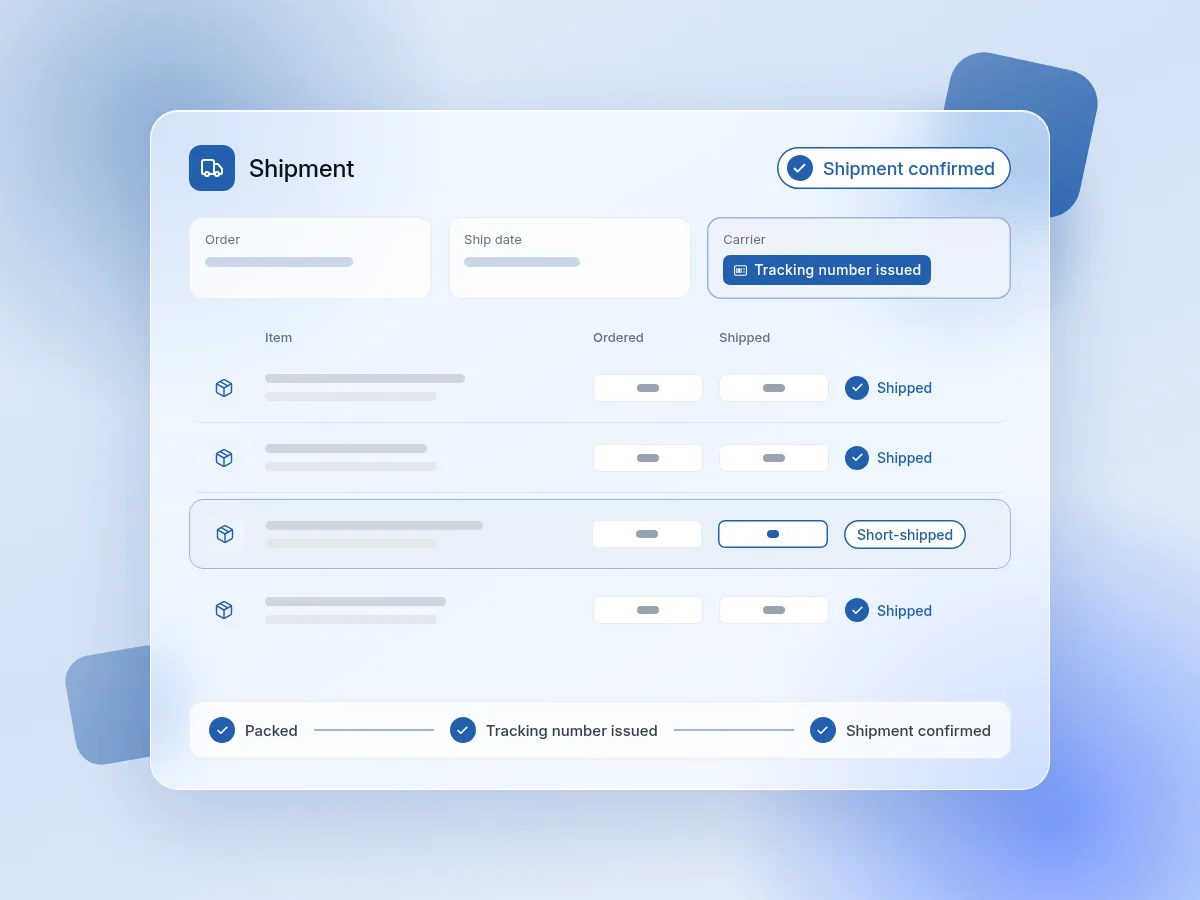
When the carrier issues the tracking number, the shipment is confirmed back in Acumatica. That's the point where the physical work and your ERP meet.
Short ships write back at that same point. If an order goes out with less than was on the pick ticket, Acumatica reflects what actually shipped, not what was planned.
This follows a simple principle: a robot moving product doesn't by itself mean anything has shipped. The integration needs business rules that turn physical events into the correct system transactions, and here the confirmation happens when the shipment is real.
Acumatica WMS around the robots
Robots handle put-away and picking. Acumatica's native warehouse management covers the processes around them.
We design the robot connection so it fits with these workflows instead of working around them. Not ready for robots? Start with Warehouse Management (WMS) for Acumatica, the foundation the robots run on. It also covers barcode scanning, RFID and other warehouse connections.
Start with the warehouse process
Robots are only as good as the process they're connected to. Fast automation connected to a poorly designed inventory process can simply create bad transactions faster. Before investing, we start with how your warehouse works today.
Questions we work through with you:
- How many receipts, orders and pick lines does your warehouse handle each day?
- How much employee time goes into walking, putting away, picking and manually entering information?
- Where are put-away, picking or inventory errors occurring today?
- Which processes could realistically be automated, and which work well already?
- What hardware, software, integration and support would be required?
- What measurable savings would the new process create?
The right answer might be robots, barcode scanning, RFID or a combination. The goal is to improve the warehouse process at a reasonable cost, not to install the most advanced technology available.
Read our guide to RFID vs. barcodes for inventory and warehouse management →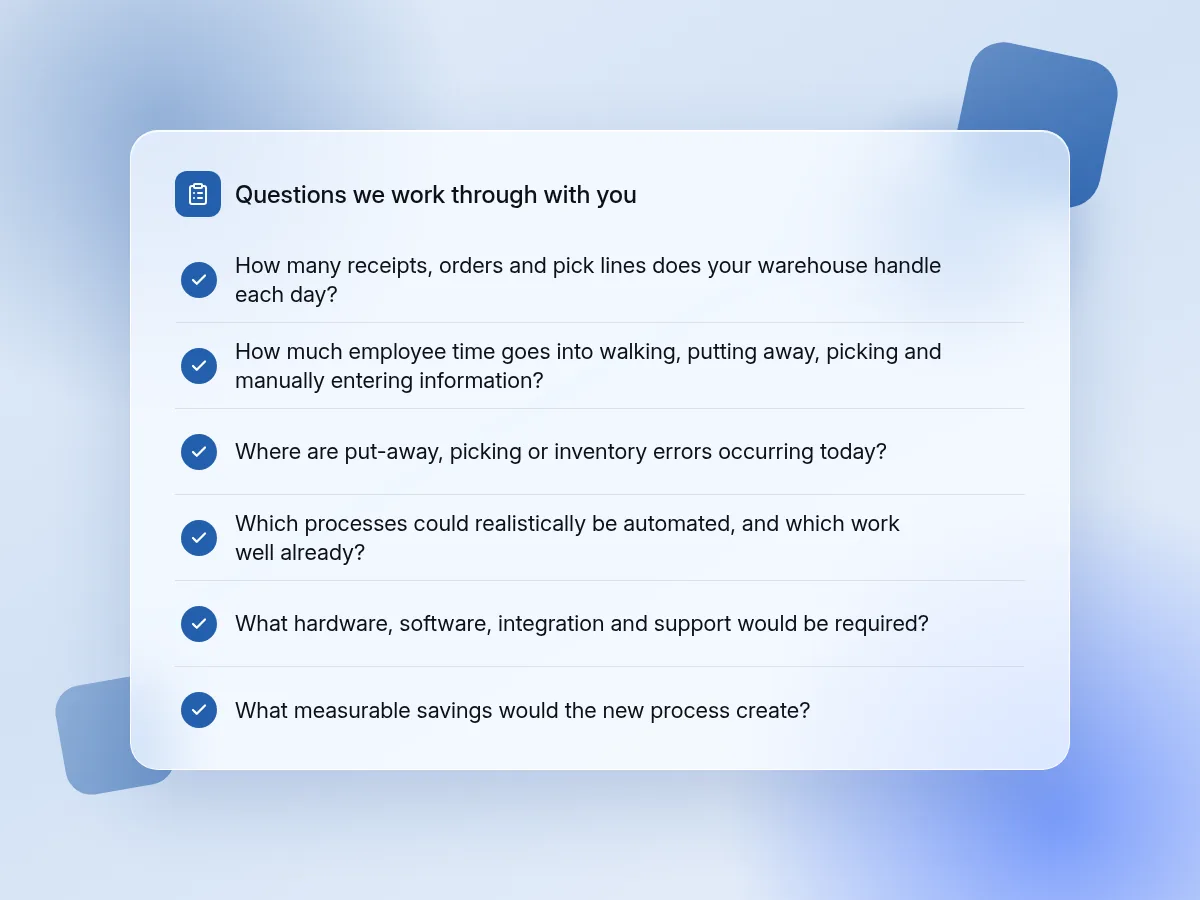
Robot selection guidance
If robots are the right fit, the next question is which ones. We help you choose the best robots for your location and use case, and we look at that choice in light of your Acumatica process, not in isolation.

Your location
the warehouse you're automating and how it's set up today

Your use case
the put-away and picking work you want robots to handle

Your Acumatica workflow
how the robots will fit with pick tickets, packing and shipment confirmation
The goal is a choice that fits your operation before you invest.
Technical questions
Where do the robots get their picking work?
From Acumatica. Robots take the pick tickets from Acumatica.
Where does the picked product go?
The robots bring it to the staging area, where your team packs it.
What happens when goods are received?
Your team confirms the right product in the correct quantities, and the stock is received into a receiving location in Acumatica. The system then triggers the robots to put it away.
How are bins chosen for put-away?
By things like keeping similar items stored together and using the closest empty bins.
How does Acumatica know where stock was put away?
The put-away transfers the stock in Acumatica from the receiving location to the bin it ended up in, such as A1-S2-103.
What path do the robots take when picking?
The most efficient one: up one aisle, picking from both sides, and back down the other aisle. That path logic comes from Acumatica WMS. The robotics system decides which robot takes which path and can split one path between two robots, improving on that logic based on how many robots are available at that time.
How does Acumatica know what shipped?
After the order is picked and packed, the shipment is confirmed in Acumatica when the carrier issues the tracking number.
What happens with short ships?
Short ships write back to Acumatica at the shipment-confirmation point, so only what actually shipped gets confirmed.
Does Acumatica WMS still matter if robots do put-away and picking?
Yes. Acumatica's warehouse management covers receiving, movements, packing, shipping and counts around the robot work, and it supports single-order, wave and batch picking. We design the robot connection to fit those workflows.
Which picking methods work with the robots?
It depends on your orders, warehouse layout and robot setup. Bring your current picking process to a strategy call, and we'll review it with you.
Do you help us choose robots?
Yes. We help you choose the best robots for your location and use case, based on your warehouse process in Acumatica.
Plan your warehouse automation with our team
Bring your receiving and order volume, put-away and picking process, and current setup to a free 30-minute strategy call. We'll walk through how connecting Acumatica to warehouse robots would work in your warehouse, all without any commitments.
Back to Warehouse Robotics for Acumatica →Explore more CyberCore products


.webp)