Acumatica 2026 R2: AI, Automation & Analytics
What the latest AI, automation, and ERP updates mean for your business.
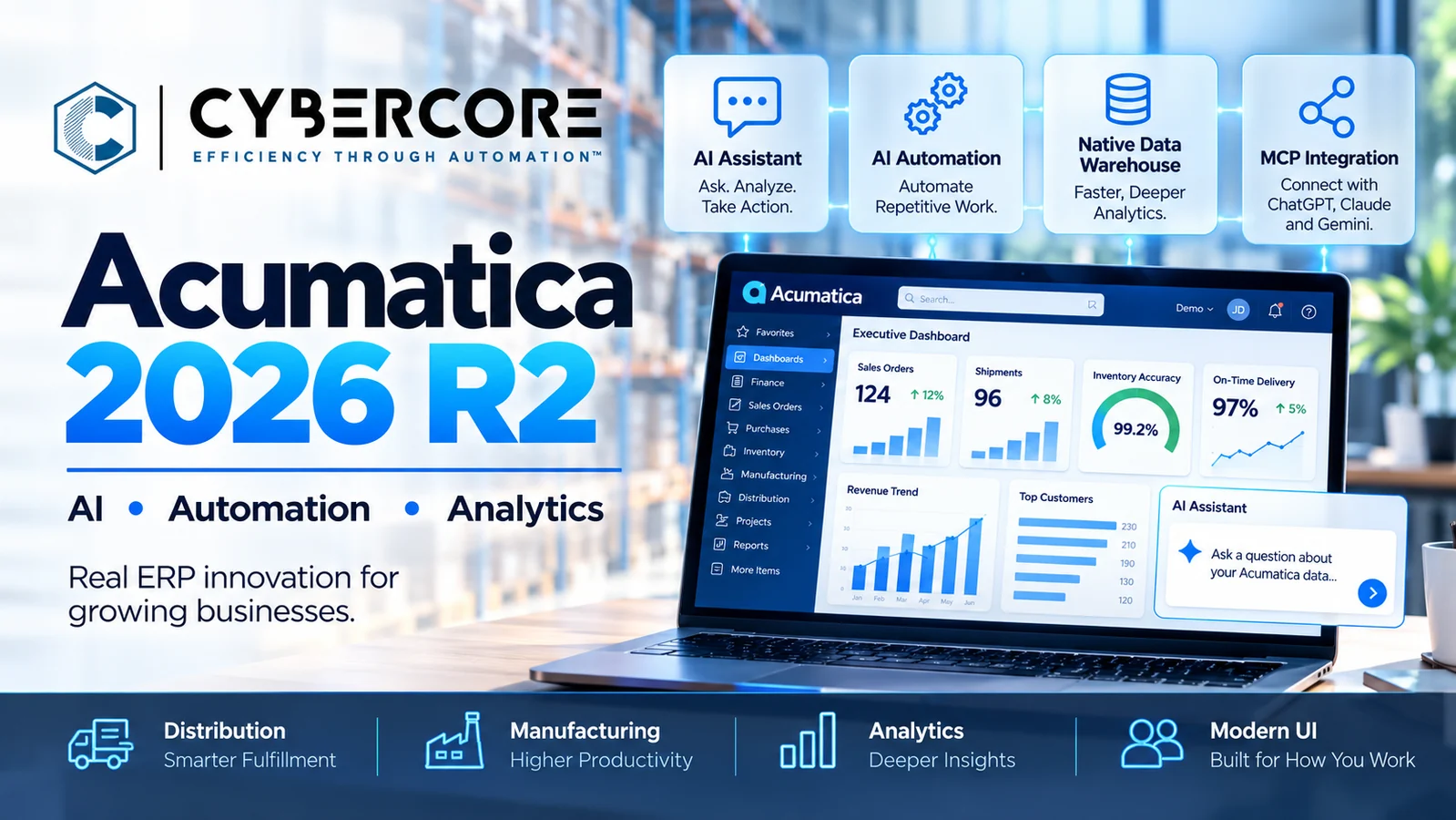
Acumatica 2026 R2 is here, and this release puts practical AI, automation, and analytics much closer to everyday ERP work.
Released October 1, 2026, Acumatica 2026 R2 expands the platform’s AI capabilities while also introducing major improvements to reporting, analytics, distribution, manufacturing, portals, and the Modern UI.
What makes this release especially interesting is not any single new feature. It is the way Acumatica is bringing ERP data, AI tools, automation, and analytics together into a more connected operating environment.
For businesses already using Acumatica—or considering an upgrade—here are the 2026 R2 changes worth paying attention to.
AI Moves Into Everyday ERP Work
Acumatica continues to move AI from experimentation into practical business workflows.
In 2026 R2, AI Assistant, AI Automation, and AI Anomaly Detection can help users ask questions about ERP data, identify unusual activity, automate repetitive work, and trigger AI-driven workflows directly inside Acumatica.
The important part is that these capabilities work with the business information already inside the ERP. Instead of treating AI as a completely separate system, companies can begin using it in areas such as reporting, exception management, operational analysis, and repetitive administrative tasks.
For growing organizations, that creates an opportunity to shift employees away from searching for information and manually processing routine work—and toward reviewing exceptions, making decisions, and serving customers.
Connect Acumatica to ChatGPT, Claude, and Gemini with MCP
One of the most important additions in Acumatica 2026 R2 is support for Model Context Protocol, or MCP.
MCP provides a standardized way for AI tools to securely interact with business systems. In Acumatica, this means selected ERP data and functions can be made available to compatible AI applications such as ChatGPT, Claude, and Gemini while still respecting Acumatica permissions and security controls.
This can change how users interact with ERP information. Instead of navigating through multiple screens or building a report for every question, an authorized user could ask an AI tool for information in natural language and work with the results conversationally.
For example, a manager might ask:
- Which customers have overdue balances above a certain amount?
- Which inventory items are below their preferred stock level?
- Which orders are delayed or waiting for shipment?
- What were sales by customer or product last month?
The important distinction is that the AI is working with governed ERP data rather than information copied into a separate, uncontrolled system.
Acumatica can expose approved Generic Inquiries through MCP, giving businesses control over which information AI tools can access. That makes MCP especially interesting for organizations that want the productivity benefits of generative AI without giving up ERP security and governance.
Faster Analytics Without Slowing Down Daily Work
Acumatica 2026 R2 also puts a stronger foundation underneath reporting and analytics.
The release includes Generic Inquiry optimization that prepares and stores large data sets so dashboards and pivot views can load faster. Acumatica also describes a high-performance, governed data source designed to provide a consistent view of business information across dashboards, financial reporting, and AI tools.
For companies with larger transaction volumes, complex dashboards, or growing reporting demands, this can be especially important. Analytics should help users make decisions without creating unnecessary load on everyday ERP processing.
The practical benefit is faster access to useful information across finance, operations, sales, inventory, and management reporting—while keeping that information governed within the ERP environment.
This also strengthens the AI story. Better organized and more accessible ERP data gives AI tools a more useful foundation for answering business questions and identifying exceptions.
Smarter Distribution and Manufacturing Workflows
Acumatica 2026 R2 also delivers meaningful improvements for distribution and manufacturing companies.
For distributors, new Available-to-Promise (ATP) functionality gives sales and operations teams better visibility into projected supply and demand so they can make more reliable delivery commitments. Acumatica also introduced more intelligent picking strategies designed to improve warehouse efficiency and fulfillment accuracy.
For manufacturers, Shop Floor Kiosk 2.0, enhanced production planning, and an updated Advanced Planning and Scheduling engine provide more tools for managing production activity. The optimized APS engine can use forward or backward scheduling and can account for both finite and effectively unlimited work-center capacity.
The practical goal is straightforward: better visibility into what can be promised, what needs to be produced, and where operational constraints may affect delivery.
These improvements are especially valuable when ERP is connected to warehouse automation, barcode or RFID processes, EDI, eCommerce, and other operational systems. Instead of managing each process separately, businesses can use Acumatica as the central system coordinating inventory, orders, production, and fulfillment.
Modern UI Is Now the Default
Acumatica 2026 R2 takes another major step toward retiring the Classic UI. The Modern UI is now the default experience, and when a screen has a Modern UI version, it opens there automatically.
Existing Classic-only screens can still be opened in 2026 R2, but Acumatica warns that Classic-only functionality is being deprecated as the platform moves toward 2027 R1. This includes areas such as older dashboards, pivot tables, wizard forms, and custom screens that have not yet been converted.
That means an upgrade should be treated as more than a technical version change.
Before moving production to 2026 R2, businesses should review:
- Custom screens and customization packages
- Dashboards and pivot tables
- Generic Inquiries and reports
- User roles and security
- Business Events and workflows
- EDI, eCommerce, API, and third-party integrations
- Critical order, inventory, purchasing, manufacturing, and financial processes
The safest approach is to upgrade a Lab or Test environment first, validate the company’s actual workflows, address any Modern UI or customization issues, and only then schedule the production upgrade.
What Acumatica 2026 R2 Means for Growing Businesses
Acumatica 2026 R2 is not simply a collection of new features. The larger shift is toward an ERP environment where data, analytics, AI, automation, and operational workflows work more closely together.
AI can help users find information and manage exceptions. MCP can extend governed ERP data into the AI tools people already use. Faster analytics can make business information more accessible. And improvements across distribution, manufacturing, and the Modern UI continue to reduce friction in everyday work.
The opportunity is not to turn on every new feature at once. It is to identify where these capabilities can solve a real business problem, reduce repetitive work, improve visibility, or help employees make better decisions.
If you are planning an Acumatica 2026 R2 upgrade, CyberCore can help you evaluate your existing environment, customizations, integrations, and automation opportunities before moving production. Contact CyberCore to discuss your upgrade plan.
.webp)