Acumatica 2026 R2 MCP: Connect ERP Data to ChatGPT, Claude & Gemini
How Acumatica's new MCP capabilities connect ERP data to AI tools while maintaining security and control.
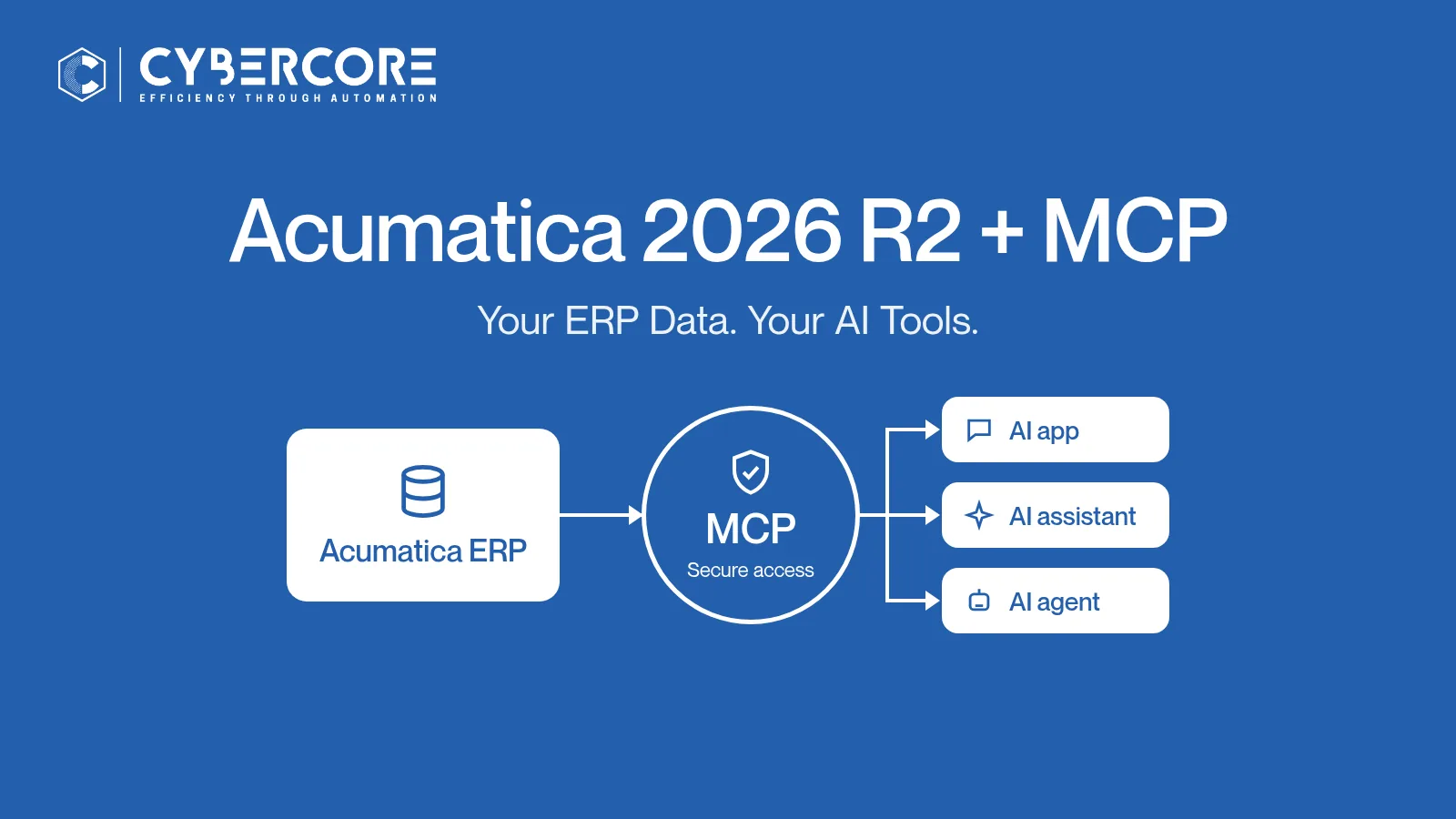
Most business owners know this routine. Someone asks a simple question, like "Which open orders for our biggest customer haven't shipped?" Someone else exports a Generic Inquiry to Excel, cleans it up and emails it. By then, the numbers have changed.
In our October 4 overview of Acumatica 2026 R2, we called Model Context Protocol (MCP) one of the most important additions in the release. Acumatica says organizations can now connect Claude, ChatGPT, Gemini and other MCP-compatible AI tools directly to their Acumatica data "without exporting, uploading, or duplicating information in a separate AI workspace."
Here's what that means in practice, and where to be careful.
What Is MCP?
MCP stands for Model Context Protocol. In plain terms, it lets an AI tool (the "MCP client") connect to a business system (the "MCP server") and call a set of tools that the server offers.
In Acumatica 2026 R2, an administrator creates an MCP server inside Acumatica and decides exactly which tools it offers. Each tool is based on a published Generic Inquiry. When an authorized user asks a question in a connected AI tool, the AI calls the matching tool, retrieves the data from Acumatica and uses the results in its answer.
Think of a reference desk with an approved list of reports. The AI can request any report on the list, under the badge of the person asking, but it can't wander into the stacks.
How Acumatica 2026 R2 Supports MCP
- Generic Inquiries are the building blocks. You choose which published Generic Inquiries become tools.
- MCP servers are configured in Acumatica. On the MCP Servers (SM302100) form, you give each server a name, a title and optional instructions that describe its purpose. Acumatica then generates the server's URL.
- Access is governed and read-only. Acumatica describes the new MCP servers as giving external AI tools "governed, read-only access to published Generic Inquiries."
- Permissions follow the user. Acumatica's Beacon guide states that once a connection is established, the tools and data available depend on the signed-in user's Acumatica access rights.
- Shared filters narrow the data. Each tool can apply a shared filter when it's called.
- Speed. The new Generic Inquiry Optimization stores the results of large or frequently used inquiries, so dashboards, pivot views, OData and MCP load faster.
One important distinction: MCP is not the same as AI Automation. MCP tools let an outside AI tool read approved data. AI Automation is where Acumatica's own AI agents take action inside the ERP. We compare the two below.
Five Practical Ways Teams Can Use Acumatica MCP
Each depends on a Generic Inquiry with the right data and permissions that let the user see it.
- Sales: overdue and open orders. "Which open sales orders for this customer are past their requested ship date?"
- Inventory: items below stock levels. "Which items in the main warehouse are below their reorder point?"
- Purchasing: open purchase orders. "What's still open with this vendor, and when is it expected?"
- Finance: accounts receivable trends. "Which customers have overdue balances, and how does that compare with last month?"
- Management summaries. "Give me a one-page summary of open orders, low stock and overdue receivables for Monday's meeting."
Worked example. Imagine a distributor whose sales manager starts each Monday by chasing three reports. The administrator sets up a "sales-ops" MCP server with three Generic Inquiry tools: open sales orders, items below reorder point, and open purchase orders. None of them include cost or margin columns.
The sales manager connects Claude and asks: "Which open orders for our top accounts include items below reorder point, and is there an open PO that covers them?" The AI calls the three tools, matches the results and drafts a short list. The manager then checks the flagged orders in Acumatica and calls the two customers whose shipments are at risk.
The AI did the gathering. The person made the decisions and had the conversations.
How to Prepare Your Acumatica System for MCP
Acumatica's Beacon guides lay out the setup. Here it is in order:
- Enable the feature. Turn on MCP Server on the Enable/Disable Features (CS100000) form.
- Choose and publish your Generic Inquiries. Each Generic Inquiry you want to expose must be published to the UI. Review every column before it becomes a tool. Well-built Generic Inquiries are one of the most useful parts of Acumatica ERP, and with MCP they matter even more.
- Create the MCP server (SM302100). Add a record and keep it Active. In the Tools table, add Generic Inquiry tools, each with a Tool Name, a Tool Title and an optional Shared Filter. Save, then copy the generated URL.
- Check permissions. Make sure the users who will connect have access to those Generic Inquiries, and no more than they need.
- Register the AI application (Connected Applications, SM303010). For Claude, Beacon walks through creating a connected application with the Authorization Code flow, adding Claude's redirect URIs and generating a shared secret. In Claude you then add a custom connector, paste in the server URL, client ID and secret, sign in to Acumatica and approve access.
- Test with real questions. Start a new chat, ask a question that matches one of your tools, and compare the answer with the Generic Inquiry in Acumatica.
Acumatica's step-by-step guide is here: To Create an MCP Server. One honest caveat: Beacon's connection walkthrough covers Claude. For ChatGPT or Gemini, follow that provider's own instructions for adding an MCP connector.
Security and Governance
According to Acumatica, role-based permissions, inherited security and field-level data masking carry over automatically to MCP connections. Acumatica also says IT keeps centralized governance and auditability for every query. Here's how we'd put that into practice:
- Roles. People should see through the AI tool what they'd see on screen, and nothing more.
- Masking. Confirm that sensitive fields, such as bank details, pay rates and margins, are masked or left out of the Generic Inquiry.
- Auditing. Decide who reviews AI-related activity, and how often.
- Start read-only and small. Generic Inquiry tools are read-only. Begin with a handful of tools for one team, learn from the questions people actually ask, then expand.
- Know your AI provider. Retrieved data appears in that provider's chat, so review its business data terms with IT before connecting.
- Keep people in the loop. AI can misread a result or a column name. Check anything important in Acumatica before acting on it.
MCP vs. AI Assistant vs. AI Automation
All three use AI, but they do different jobs:
Ready to put AI to work? See our guide to Acumatica AI agents: practical workflows and guardrails.
How CyberCore Can Help
Doing MCP well comes down to the right questions, clean Generic Inquiries and correct permissions. As an Acumatica Gold Certified partner with 35+ years in ERP and 10+ years on Acumatica, our team can help you:
- Pick the questions worth answering and the team to start with
- Design or clean up the Generic Inquiries behind each tool
- Map roles, masking and shared filters, then configure MCP servers and connected applications
- Train your people to ask good questions and check the answers
If you haven't upgraded yet, start with our Acumatica 2026 R2 Upgrade Checklist.
Book a Call
Want to see what your Acumatica data could answer through the AI tools your team already uses? Book a Call, call us at (888) 521-1801, or contact us.
Sources
- Acumatica press release, "Acumatica 2026 R2 Enables Mid-Market Businesses to Work Smarter with Embedded AI" (Oct 1, 2026). Supports: Claude, ChatGPT, Gemini and other MCP-compatible tools; no exporting or duplicating data; role-based permissions, inherited security and field-level masking carry over; centralized governance and auditability; AI Assistant and AI Automation inside Acumatica; agents built with plain-text prompts and Generic Inquiries. https://www.acumatica.com/corporate-newsroom/press-releases/acumatica-2026-r2-release-with-embedded-ai/
- Acumatica Community, "Introducing Acumatica Cloud ERP: 2026R2." Supports: MCP servers give external AI tools such as Claude or ChatGPT governed, read-only access to published Generic Inquiries; Generic Inquiry Optimization speeds up MCP; AI Assistant prior-period analysis and dashboard widgets; AI Automation agents, triggers, agent handoffs, data masking and token usage tracking. https://community.acumatica.com/acumatica-news-updates-2/introducing-acumatica-cloud-erp-2026r2-37191
- Acumatica Beacon, "Configuring MCP Servers: To Create an MCP Server." Supports: the MCP Server feature on CS100000; the MCP Servers form (SM302100); published Generic Inquiries; user access; tool settings (Tool Name, Tool Title, Shared Filter); instructions; the generated URL. https://beacon.acumatica.com/r/Integration-Guide/Configuring-MCP-Servers/Configuring-MCP-Servers-To-Create-an-MCP-Server?contentId=gyFlhET~SCdZhnCuiy3rGQ
- Acumatica Beacon, "Configuring MCP Servers: To Connect Claude to an MCP Server." Supports: Connected Applications (SM303010); the Authorization Code flow; redirect URIs; shared secret and client ID; Claude custom connector steps; data depends on the signed-in user's access rights; verifying the connection. https://beacon.acumatica.com/r/Integration-Guide/Configuring-MCP-Servers/Configuring-MCP-Servers-To-Connect-Claude-to-an-MCP-Server?contentId=SEtMDQ5Y3he7CVJ2kaG5XA
- CyberCore, "Acumatica 2026 R2: AI, Automation & Analytics." https://cloudcybercore.com/post/acumatica-2026-r2-ai-automation
Related reading
.webp)